Elevate Your Brand: A Deep Dive into the Chair Mockup Set
Every designer knows the friction of turning a flat concept into a tangible reality. You might have a brilliant pattern for upholstery or a sleek logo intended for a chair-back embroidery, but showing a client that vision on a blank canvas often falls flat. We need context to sell a design. This is where the right design assets become non-negotiable. The Chair Mockup Set is not just a collection of images; it is a bridge between your raw creativity and a polished, professional presentation. It captures the nuance of fabric texture, the play of light on a curve, and the physical presence of furniture in a way that flat graphics cannot.
The Visual Personality of the Chair Mockup Set
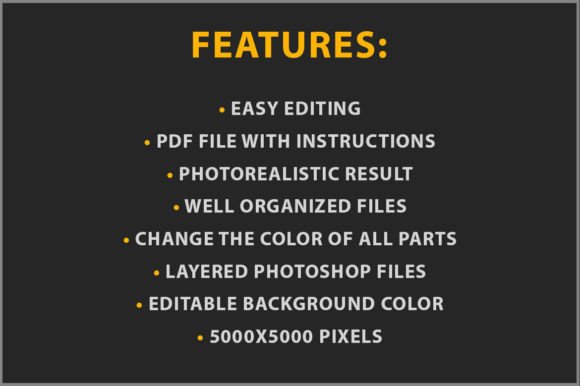
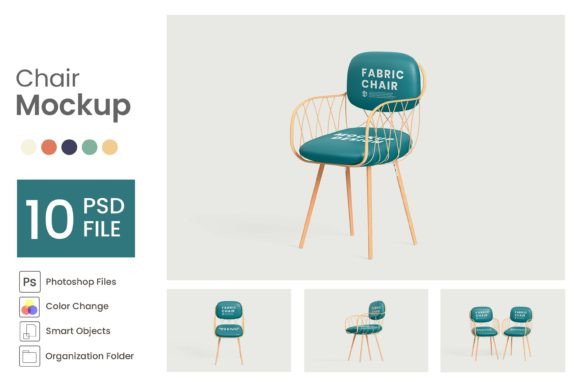
At its core, this package is built for versatility. It comprises 12 PSD Files, each offering a distinct angle and style. The visual personality here leans toward the modern and clean, but with enough organic warmth to feel realistic. We are talking about High Resolution (3000 × 2000 pixels) files, which means the grain of the wood, the weave of the fabric, and the sheen of metal legs are all captured in stunning detail. When you zoom in on these mockups, they hold up, ensuring your brand identity looks crisp on retina displays and in high-quality print portfolios.
The appeal lies in the Transparent Background. This feature is a game-changer for creative professionals. Instead of being locked into a specific studio environment or a busy room setting, these chairs float in a digital space. You can place them on a solid color background that matches your brand palette, or composite them into a custom environment for a website header. This flexibility makes the set ideal for web design layouts where you need elements to interact with text without a distracting backdrop.
Practical Workflow: Making the Most of Smart Objects
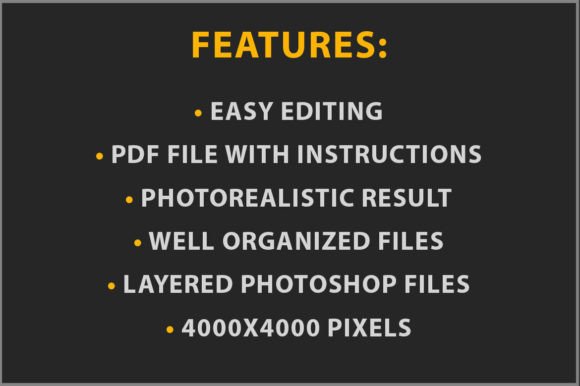
I have tested hundreds of design assets over the years, and the usability of a file is just as important as its looks. A beautiful mockup is useless if the file structure is a mess. Fortunately, this set uses a non-destructive workflow centered on Smart Objects. The process is intuitive: you simply check for layers marked with green colors. These are your designated editing zones.
When you double-click the Smart Object thumbnail, a .PSB file opens in a new tab. This is where the magic happens. You paste your design—whether it is a complex handwritten font illustration or a geometric pattern—close the tab, and hit save. Photoshop does the heavy lifting, wrapping your design around the contours of the chair automatically. The layers are organized and fully customizable, meaning you can tweak shadows, adjust highlights, or change the color of the chair frame without breaking the file structure. This level of control ensures your final output matches your specific vision.
Strategic Applications for Designers and Entrepreneurs
How does a chair mockup fit into the daily grind of a designer or business owner? The applications are broader than you might think. For interior designers and furniture makers, this is the obvious win: showcasing new fabric lines or wood finishes without booking a photography studio. However, the utility extends far beyond furniture.
Logo Design and Branding: If you are crafting a brand identity for a coffee shop, a co-working space, or a boutique hotel, showing the logo "in the wild" is crucial. Placing a sans serif font logo onto the back of a chair in these mockups immediately communicates the vibe of the physical space. It proves the logo works in a three-dimensional context, which is a powerful persuasion tool in a pitch deck.
Pattern Design and Surface Design: For those creating repeating patterns for licensing, a chair is a perfect canvas. It breaks up the pattern in a realistic way, showing how the design handles folds and curves. Whether you are working with a bold serif font pattern or a subtle floral motif, seeing it on a chair helps clients visualize the end product.
Marketing and Social Media: Content creators and marketers can use these mockups to create engaging visuals for social media graphics. A flat graphic of a sale announcement is standard, but placing that text inside a 3D scene adds depth. It stops the scroll. It transforms a standard "50% Off" post into a lifestyle image that feels more premium.
Technical Considerations and Design Hierarchy
When using the Chair Mockup Set, pay attention to visual hierarchy. Because the background is transparent, you have total control over the negative space. If you are presenting a script font or a creative font with lots of swashes, ensure the chair color is muted enough to let the typography shine. The mockup should support your design, not compete with it.
Consider the "personality" of the chair style provided. Is it a mid-century modern aesthetic? If so, it pairs beautifully with modern typography and minimalist layouts. Is it a rustic wooden chair? That might be the perfect stage for a handwritten font or a vintage-style display font. Understanding the visual language of the asset helps you select the right project.
For packaging design presentations, imagine showing a client how their brand elements look on merchandise in a physical cafe or lounge. These mockups allow you to simulate that environment. You can pair the chair with other elements you design, creating a cohesive scene that tells a brand story.
Optimizing for Commercial Use
One of the strongest features here is the Easy to use nature of the files combined with the license. For small business owners and entrepreneurs, the ability to use these assets for commercial projects is vital. You can create client presentations, sell prints featuring the mockups, or use the images in paid advertising campaigns without worrying about complex licensing restrictions.
The Editable Colors feature also saves a massive amount of time. Instead of trying to color-correct a photograph to match a client's specific hex code, you can often change the color of the chair itself directly in the file. This ensures that the entire editorial design or pitch deck remains on-brand.
Final Thoughts on Workflow Efficiency
In the fast-paced world of digital content, efficiency is currency. The Chair Mockup Set respects your time by providing organized layers and a simple "paste and save" mechanism. It removes the technical barriers that often slow down the creative process. Whether you are a crafter selling digital downloads, a blogger needing unique header images, or a publisher illustrating a book on interior design, this set provides a professional polish that elevates your work.
Remember, the goal of any mockup is to bridge the gap between imagination and reality. By utilizing this set of 12 distinct templates, you are equipping yourself with a versatile toolkit that adapts to various creative challenges. It allows you to focus on the design itself, knowing that the presentation will be handled with high-fidelity accuracy. Open the file, drop in your work, and watch your concepts come to life with the depth and professionalism they deserve.