Elevate Your Brand with Gift Card Mock-up Vol 2
When you are ready to present a new design to a client or launch a product on your e-commerce site, the final presentation is everything. A flat design file rarely captures the imagination the way a contextual mockup does. For anyone working with Gift Card Mock-up Vol 2, you are not just getting a template; you are securing a versatile toolset designed to bridge the gap between a digital concept and a tangible product. This package stands out because it understands the practical needs of modern creators, offering ten distinct perspectives on a single design asset.
The Anatomy of a Professional Presentation
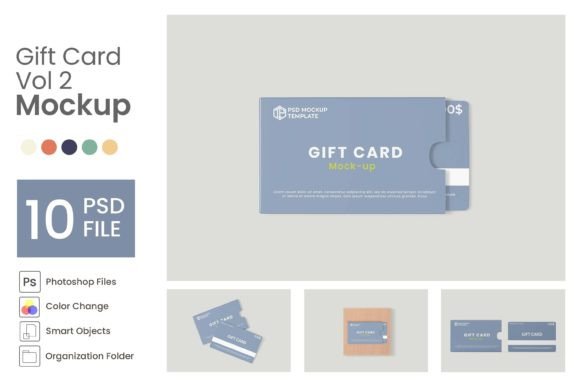
The core appeal of Gift Card Mock-up Vol 2 lies in its flexibility. Unlike generic templates that force you into a single composition, this package provides ten different PSD files. This variety is crucial for brand consistency across multiple platforms. You might need a close-up crop for an Instagram story, a full-frontal view for a website header, and an angled perspective for a printed catalog. Having all these variations in one package ensures that your visual language remains coherent, regardless of the medium.
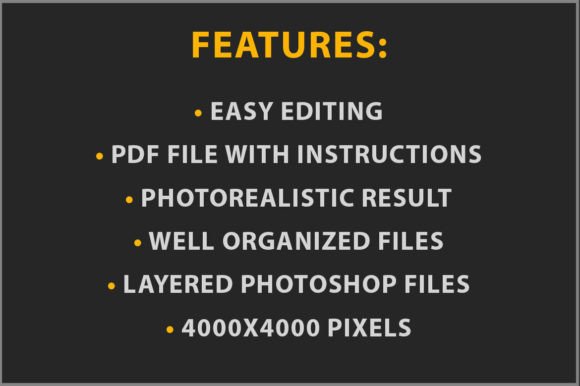
Visually, the mockups are built with a clean, modern aesthetic. They utilize a transparent background by default, which is a massive advantage for designers who want to integrate these cards into complex layouts without spending hours masking edges. The high resolution (3000 × 2000 pixels) ensures that even if you are zooming in on specific details—like the texture of the card stock or the sharpness of the typography—your work will look crisp and professional. This level of detail influences how your audience perceives the quality of the actual gift card. If the mockup looks pixelated or cheap, it subconsciously lowers the perceived value of the card itself.
Streamlining Your Workflow with Smart Objects
For the entrepreneur or designer juggling multiple deadlines, efficiency is just as important as aesthetics. Gift Card Mock-up Vol 2 addresses this through the use of Smart Objects. If you have ever struggled with warping text to fit a curved surface or adjusting lighting to match a specific angle, you know how time-consuming manual editing can be.
The process is designed to be intuitive. You simply open the file, locate the layers marked in green, and double-click the Smart Object thumbnail. This action opens a separate .PSB file where you paste your design. Once you save, the magic happens: the mockup automatically applies the correct perspective, shadows, and lighting to your artwork. This non-destructive workflow means you can swap out designs infinitely without degrading the image quality. It allows you to test different color palettes or logo placements in seconds rather than hours.
Real-World Application for Marketers and Creators
Consider the specific needs of a small business owner preparing for the holiday season. You need to market gift cards on social media, in email newsletters, and on your website. Using Gift Card Mock-up Vol 2, you can create a cohesive campaign. You might use one mockup style for the "Shop Now" button on your homepage and a different angle for a Facebook ad. Because the files feature organized layers, you can easily toggle elements on or off to suit the specific context of the ad.
Furthermore, the editable colors feature is a subtle but powerful tool for brand identity. If your brand uses a specific shade of navy blue, you aren't stuck with the default background colors of the mockup. You can adjust the environment to match your corporate palette, ensuring that the gift card feels like a natural extension of your brand rather than a generic add-on. This level of customization is what separates amateur visuals from professional design assets.
Practical Advice for Maximum Impact
To get the most out of this resource, think about the context of the card. A gift card is a promise of value, and the visual presentation should reflect that promise. When using Gift Card Mock-up Vol 2, pay attention to the negative space provided by the transparent backgrounds. Don't feel the need to fill every pixel with clutter. Use the clean edges of the mockup to create a breathing room around the card, which helps draw the viewer's eye directly to the design.
Also, consider the lighting. While the mockups provide realistic shadows, ensure that the lighting direction in your final composite scene matches the mockup. If the light in the mockup comes from the top left, place your card on a background where the primary light source is also coming from the top left. This consistency is key to selling the illusion of a real photograph.
Finally, remember that while the images and photographs in the preview are for presentation purposes and not included, the mockup itself is the star. It provides the canvas upon which you can project your creativity. Whether you are a freelance graphic designer showcasing a portfolio piece or a crafter selling handmade vouchers, Gift Card Mock-up Vol 2 offers the high-resolution, customizable foundation you need to present your work with confidence. It is a practical investment in the quality of your visual communication.